[AI기반 크리에이티브 디자인]
제 5강. 프롬프트 분석하기
1. 프롬프트 분석 및 의도파악
다른사람의 생성이미지와 프롬프트 많이 보기
- 다양한스타일과 테크닉 습득 가능
- 내가 원하는 결과를 도출하는 추론능력 향상
- 프롬프트 수정 및 재작성 실습을 통해 프롬프트 구성 능력 향상
- 참고 및 응용을 통한 감각 향상
- 미드저니 홈페이지 / 미드저니 디스코드 채널
[실습] 프롬프트 분석 및 수정 재생성 연습 ①
- 제시한 프롬프트 그대로 이미지를 생성해보고, 프롬프트가 잘 반영되었는지 분석해본다.
- 반영이 안된 프롬프트를 반영하는 방향의 프롬프트 수정 후 재생성
- 이미지를 개선할 수 있는 방향의 프롬프트 수정 후 재생성
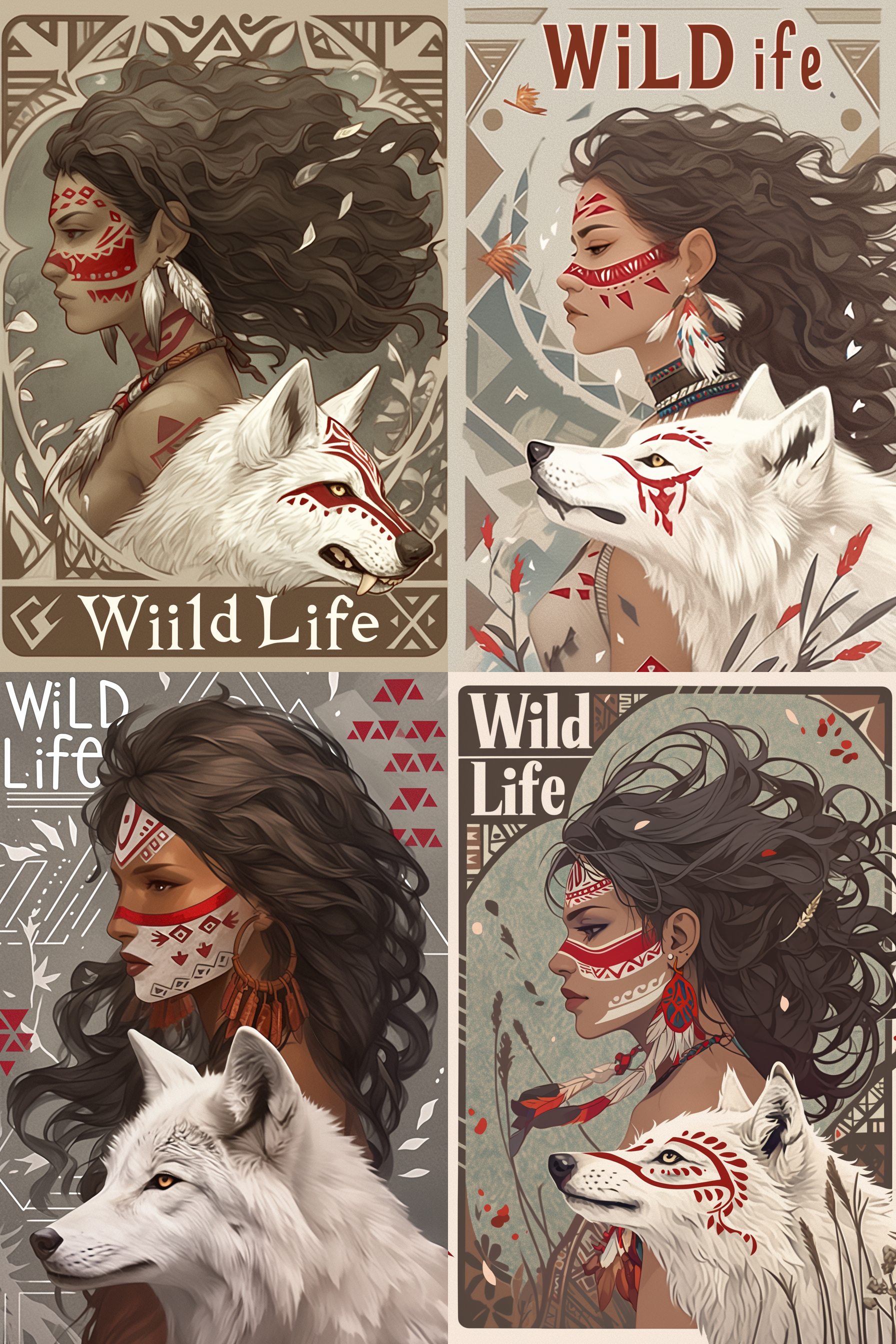
- 제시 : a beautiful digital illustration of an African American woman with medium black hair and light brown eyes she has red stripes on her face, a white wolf is next to the girl, background is in a grey color with geometric patterns, there is text that says ‘Wild Life’ in the style of the artist --ar 17:30 --niji 6
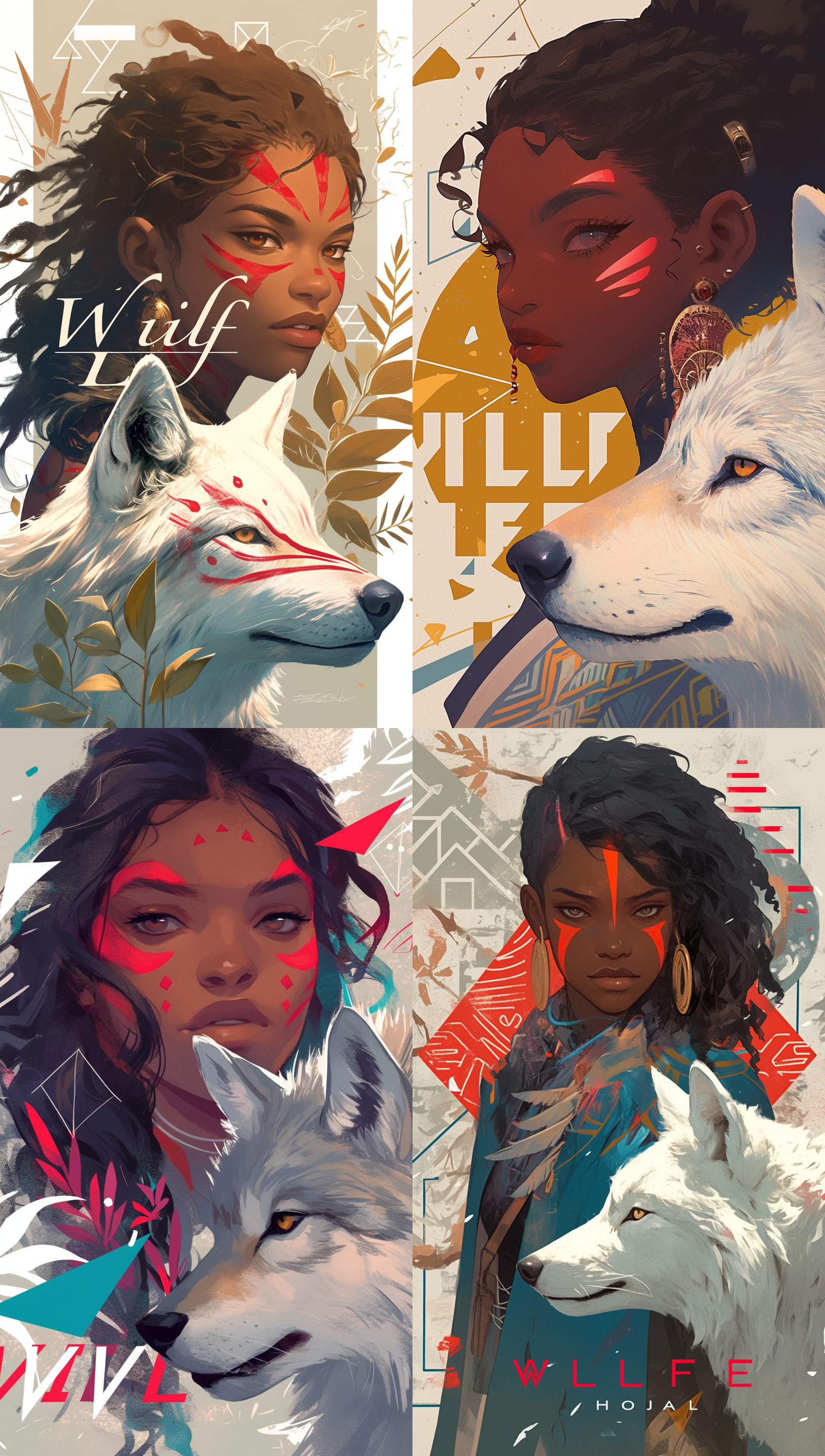
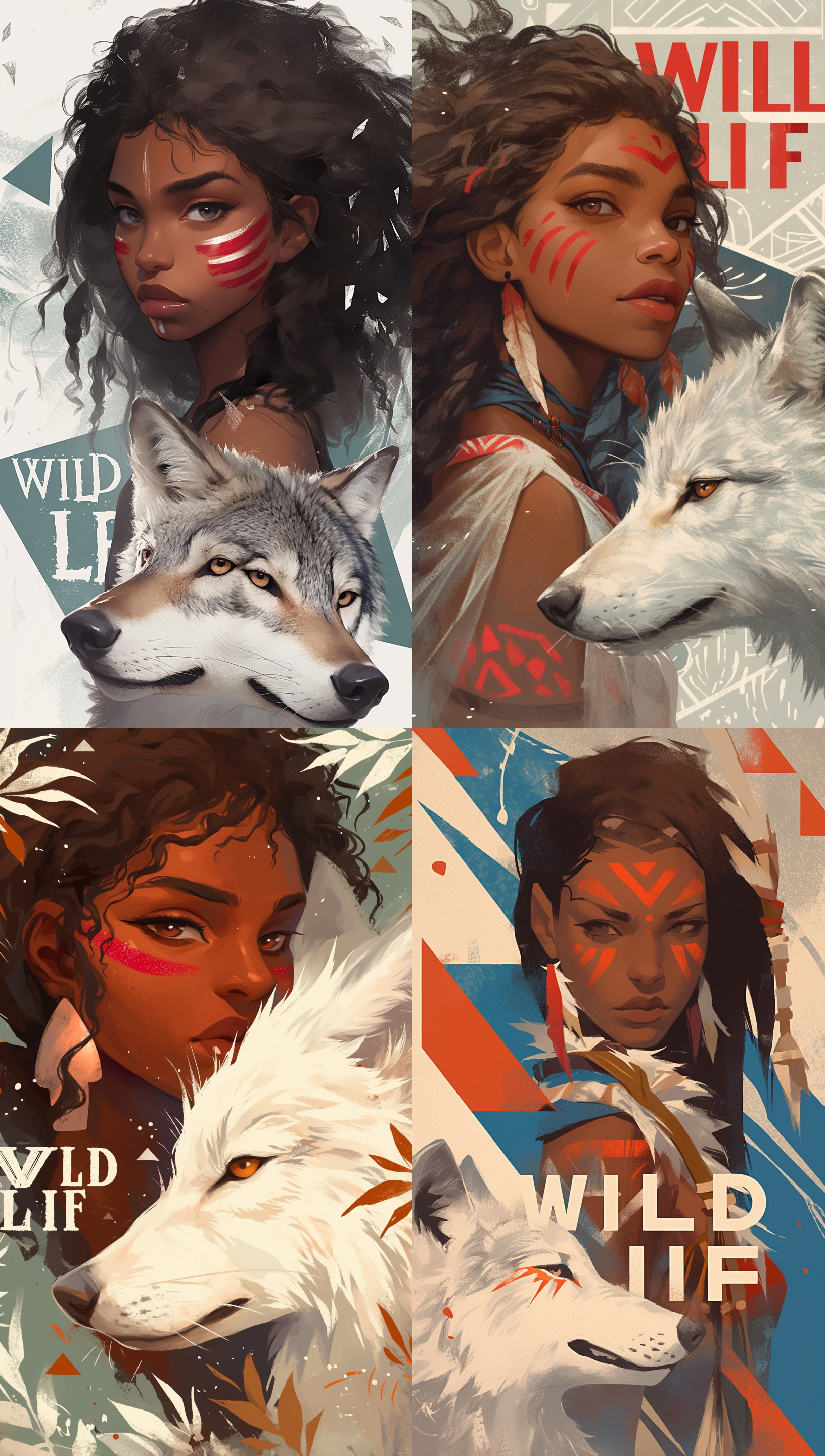
- 제시 된 프롬프트 생성 : a beautiful digital illustration of an African American woman with medium black hair and light brown eyes she has red stripes on her face, a white wolf is next to the girl, background is in a grey color with geometric patterns, there is text that says "Wild Life" in the style of the artist --ar 17:30 --niji 6
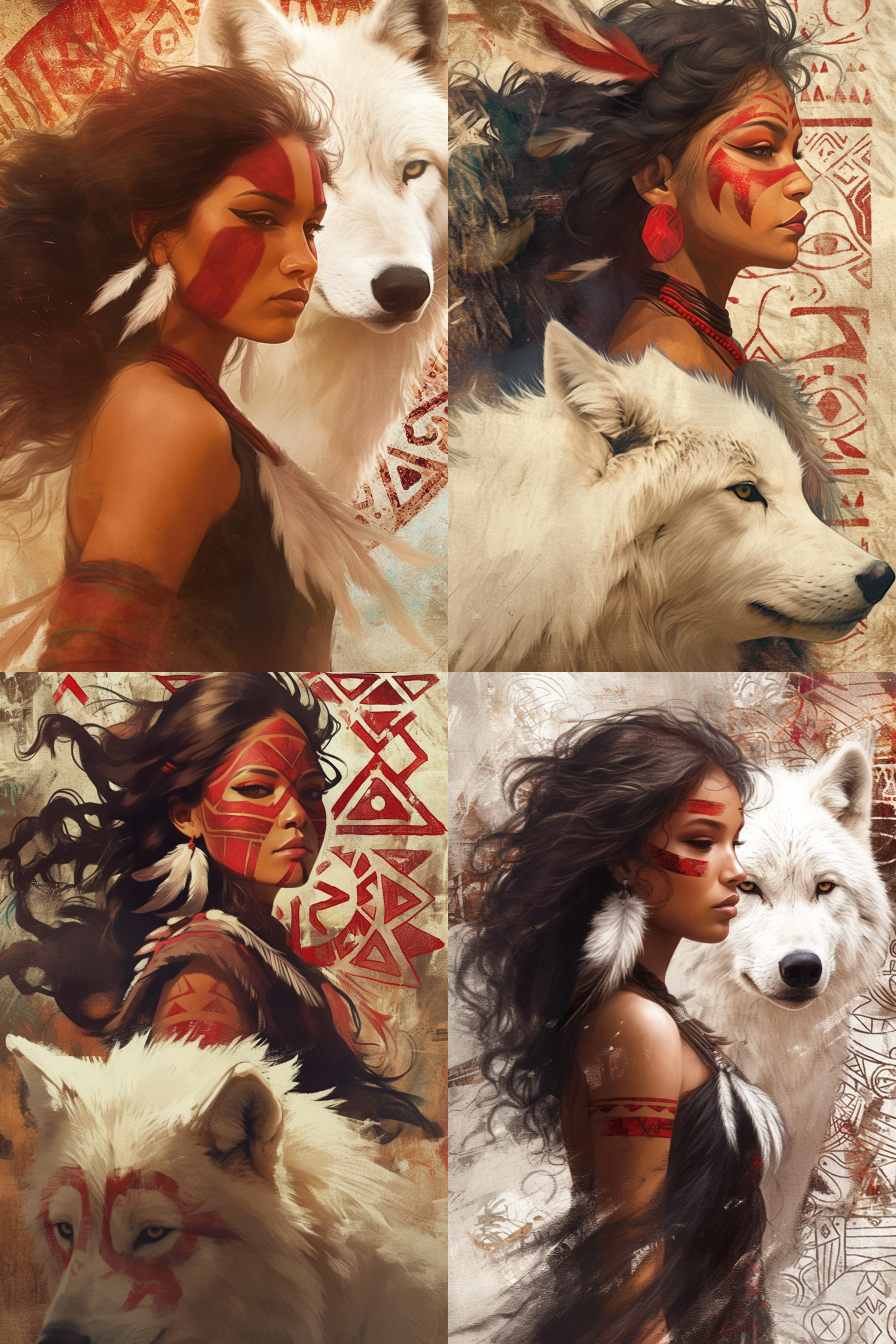
- 프롬프트 : a strong indigenous woman portrait with a white wolf, detailed face paint in red tribal patterns, curly dark hair flowing in the wind, feather earrings, confident gaze over shoulder, cinematic lighting, warm earthy tones, textured vintage poster style background, geometric tribal patterns, bold typography in background, ultra detailed illustration, soft brush painting style, semi-realistic, sharp focus, depth of field, 4k, masterpiece --ar 2:3 --niji 6 --raw
- 수정/분석 : 챗지피티로 처음 생성된 이미지를 보여주며 프롬프트를 작성해달라고 해봤음. 챗지피티는 보여준 이미지를 참고해 정교하고 디테일한 부분을 묘사해 냈음.(깃털귀걸이, 바람에 흩날리는 검은 곱슬머리 등) 그리고 디지털 일러스트가 아닌 실물 묘사에 가까우며 "Wild Life" 타이포는 사라진 모습의 이미지가 생성된 모습.
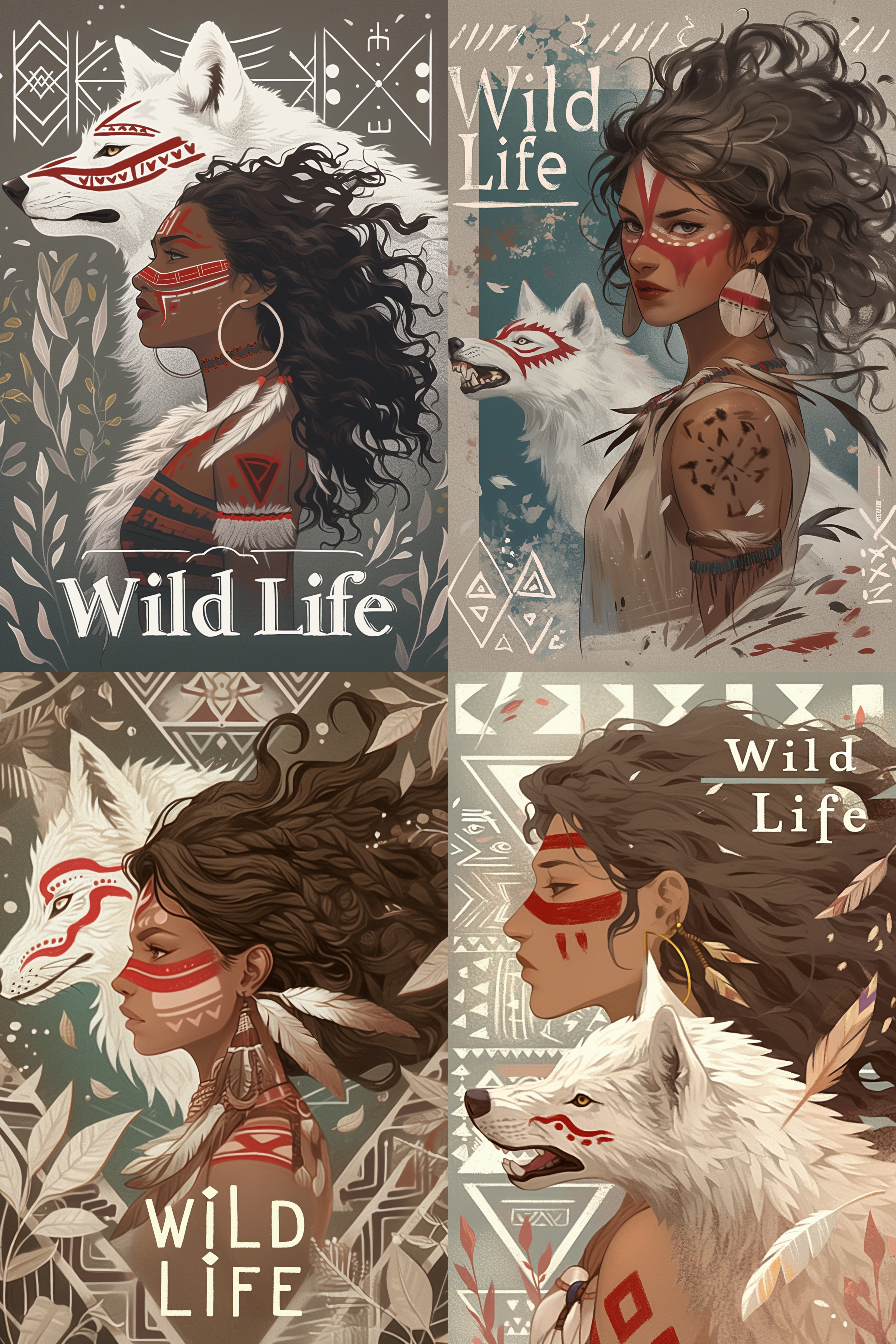
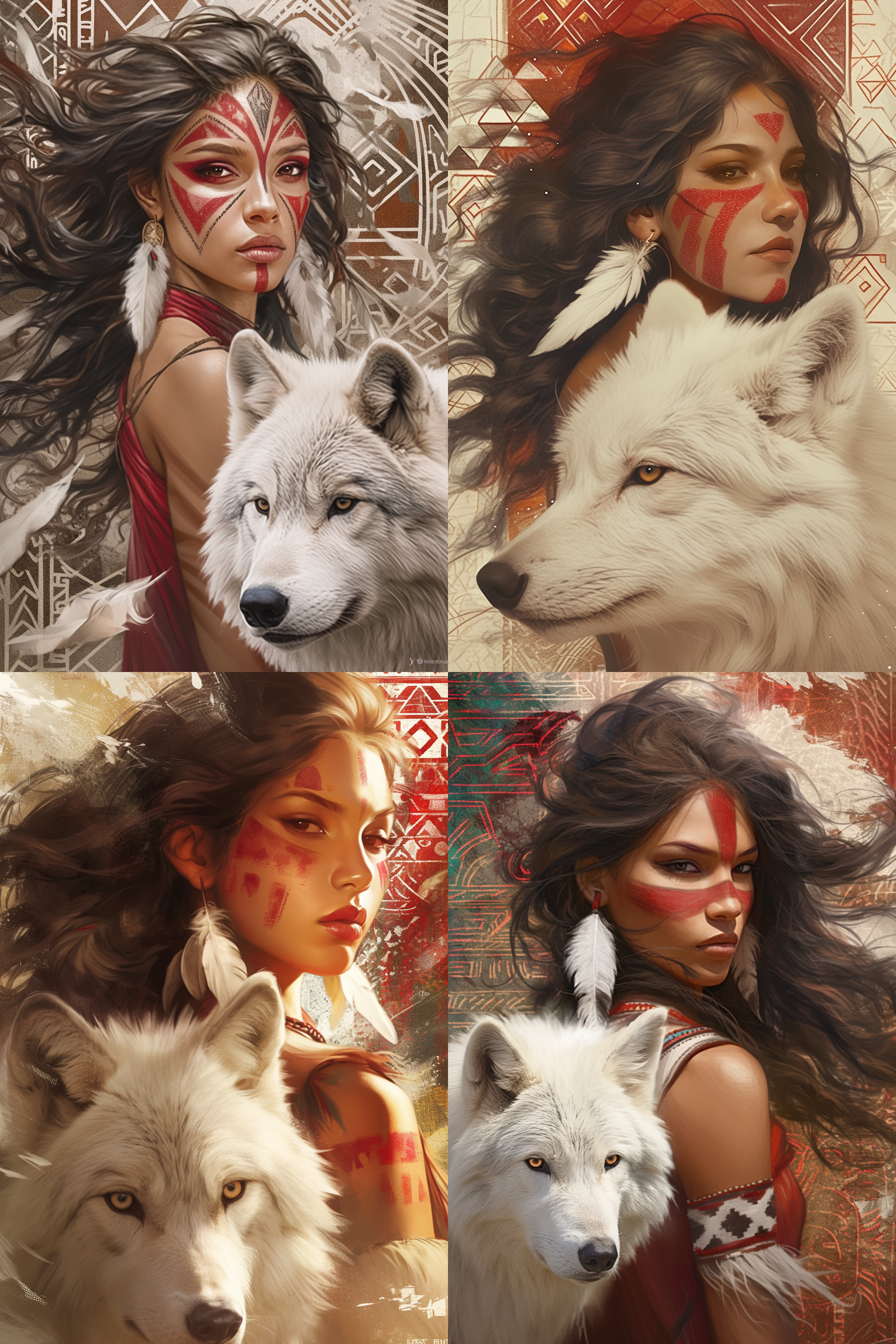
- 프롬프트 : a strong indigenous woman digital illustration with a white wolf, face paint in red stripes, curly dark hair flowing in the wind, warm earthy tones, background is in a grey color with geometric patterns, there is text that says "Wild Life" --ar 2:3 --niji 6 --raw
- 수정/분석 : 챗지피티가 만들어준 프롬프트에서 조금씩 수정해본 단계. portrait → digital illustration 수정으로 실사같은 이미지에서 일러스트로 변경됨. detailed face paint in red tribal patterns → face paint in red stripes 얼굴 페이스페인팅을 더 간결하고 심플하게 수정. 세부디테일 삭제(feather earrings, confident gaze over shoulder, cinematic lighting), 배경과 텍스트는 명확하게 추가(background is in a grey color with geometric patterns, here is text that says "Wild Life") 이미지 비율을 17:30 → 2:3 으로 수정
[실습] 프롬프트 분석 및 수정 재생성 연습 ②
- 제시한 프롬프트 그대로 이미지를 생성해보고, 프롬프트가 잘 반영되었는지 분석해본다.
- 반영이 안된 프롬프트를 반영하는 방향의 프롬프트 수정 후 재생성
- 이미지를 개선할 수 있는 방향의 프롬프트 수정 후 재생성
- 제시 : a hyper-realistic shot of a teenage Korean girl lounging on her bed, her messy hair and casual thin short sleeve t-shirt adding to the natural feel, her eyes are locked on the glowing smartphone screen in her hands, her expression a mix of focus and subtle amusement, as if lost in the digital world, the soft light from the phone highlights her face, contrasting with them dimly lit room and blurred details in the background, a small clock on the nightstand shows 2:00 am, blending seamlessly with the calm, late-night atmosphere --ar 16:9 --v 7.0
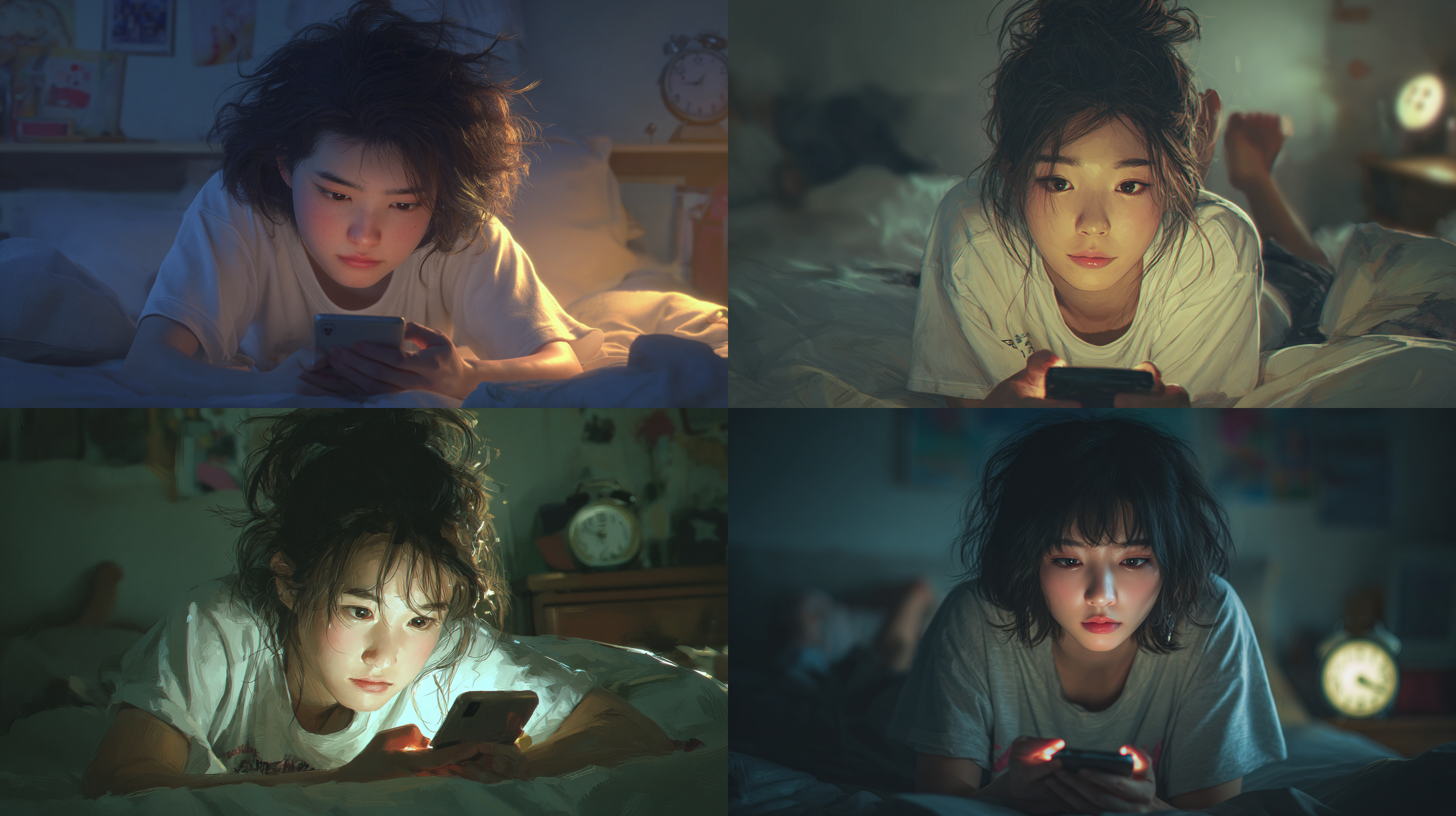
- 제시된 프롬프트 생성 : a hyper-realistic shot of a teenage Korean girl lounging on her bed, her messy hair and casual thin short sleeve t-shirt adding to the natural feel, her eyes are locked on the glowing smartphone screen in her hands, her expression a mix of focus and subtle amusement, as if lost in the digital world, the soft light from the phone highlights her face, contrasting with them dimly lit room and blurred details in the background, a small clock on the nightstand shows 2:00 am, blending seamlessly with the calm, late-night atmosphere --ar 16:9 --v 7.0
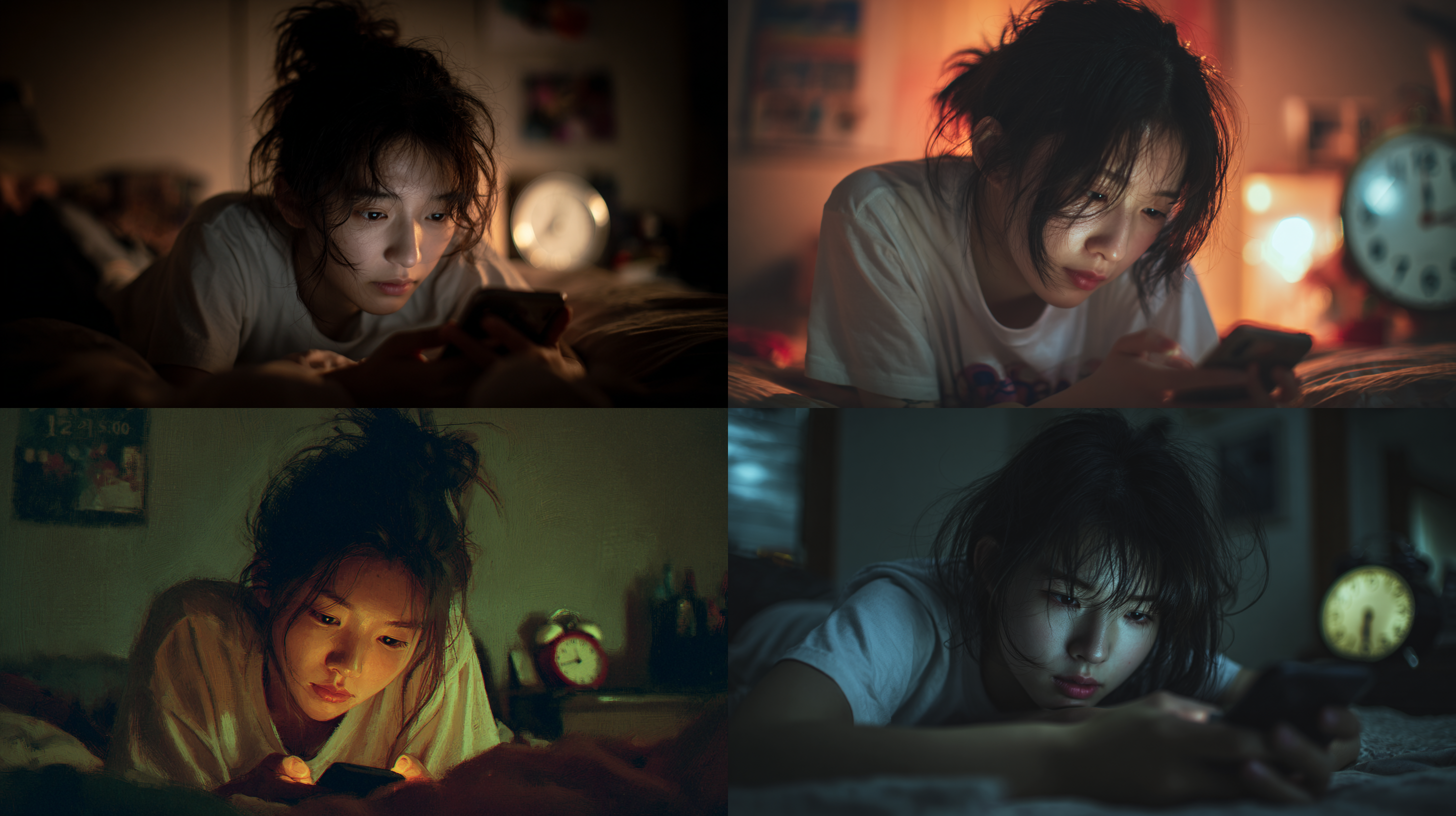
- 프롬프트 : A Korean teenage girl is lying face down on a bed in a dimly lit room, looking at a smartphone. With disheveled hair and a thin short-sleeved shirt, the soft light from the smartphone illuminates her face. A clock pointing to 2 o'clock is visible in the blurred background --ar 16:9 --v 7.0
- 수정/분석 : 배경 속의 인물 → 인물의 특징 → 조명 → 배경 순서로 정리해서 프롬프트를 입력했다. 시계가 가르키는 시간 부분은 구현이 잘 되지않았다.
2. /describe
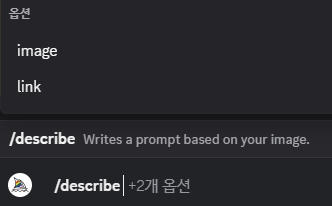
/describe 란?
- 놀라운 이미지 분석력
- 미드저니 학습에 사용된, 묘사에 효과적인 키워드 새롭게 제안
- 미드저니 학습에 사용된, 방대한 표현 방법 분석에 도움
- 이미지 또는 링크 입력 시 4가지 프롬프트를 제시해줌
/describe 활용법
- 레퍼런스 이미지로 프롬프트 발굴 : 레퍼런스 이미지 > /describe > 프롬프트 재조합 후 응용
- 스타일 학습용 자료 만들기 : 레퍼런스를 /describe로 분석 > 프롬프트 수집 > 나만의 스타일 템플릿 구축
- 프롬프트 배리에이션 : /describe로 결과 + 파라미터 추가 및 프롬프트 변형 > 다양한 버전으로 발전
3. 이미지 프롬프트

이미지 프롬프트 VS --sref
| 비교 항목 | 이미지 프롬프트 | --sref (Style Reference) |
| 역할 | 스타일 + 구성 + 색감까지 모두 영향 | 스타일만 추출하여 적용 |
| 텍스트 프롬프트와의 결합 | 직접 프롬프트에 포함 (앞부분) | 별도의 파라미터로 스타일만 적용 (--sref) |
| 이미지 영향력 조절 | --iw(Image Weight)로 조절 가능 | --sw(Style Weight)로 조절 |
| 반영 방식 | 이미지를 기반으로 새롭게 변형된 이미지 생성 | 스타일만 따와서 프롬프트에 덧입히는 형식 |
| 사용 시점 | 구체적인 이미지 기반의 창작이 필요할 때 | 일관된 스타일 유지가 필요할 때 (시리즈 디자인 등) |
--iw (Image weight)
| 항목 | 설명 |
| 기본값 | --iw 1.0 |
| 범위 | 일반적으로 0.0 ~ 2.0 사이 / 3.0 입력은 가능하나 2.0과 큰 차이는 없음 |
| 0.0에 가까울수록 | 이미지 영향이 사라짐, 텍스트 중심으로 결과 생성 |
| 1.0 | 이미지와 텍스트가 균형을 이루는 정도 (기본값) |
| 2.0 이상 | 이미지 프롬프트의 스타일이 텍스트 프롬프트보다 우선시됨 |
4. 다중 프롬프트
다중 프롬프트
- 텍스트 프롬프트를 :: 기호로 구분하여 개별 요소의 비중을 조절
- [프롬프트 A]::[가중치] [프롬프트 B]::[가중치]
- 가중치는 상대적인 비율 (총합이 1이 아니어도 됨 / 소수점 사용)
- 생략하면 기본값 1.0으로 간주
- 다중 프롬프트는 생성 모델 v 7에서는 지원하지 않음
스타일과 내용 분리
- 무엇을 그릴지와 어떻게 그릴지를 분리하여 지시하고 싶을 때
- 같은 내용을 다양한 스타일로 실험할 필요가 있을 때
- 다중 프롬프트로 스타일의 비중에 대한 시각적 결과 조율 가능
상반된 컨셉 결합
- 두 개 이상의 서로 다른 주제, 시대, 감성을 조합하고 싶을 때
- 다중 프롬프트로 각 요소의 비중을 조절하면서 충돌을 최소화
- 창의적인 하이브리드 결과를 유도
앞으로의 활용 방향
- 빠른 시안 제작, 컨셉 스케치, 무드보드 개발 : 반복 가능한 프롬프트 세트제작 → 디자인 워크플로우에 통합
- 자신만의 스타일 구축 : 나만의 레퍼런스 스타일 정리 → AI에게 나만의 감성 학습시키기
- AI와의 협업 : 반복 실험과 응용 → 독립적인 디자인 사고력과 디렉팅 능력 향상
'[학습기록] AI 디자이너 내일배움캠프 > 강의 요약 정리' 카테고리의 다른 글
| [AI기반 크리에이티브 디자인] 제 7강. AI 모델 생성 및 패션 화보 제작 ① (0) | 2026.03.20 |
|---|---|
| [AI기반 크리에이티브 디자인] 제 6강. AI를 활용한 광고 디자인 (0) | 2026.03.19 |
| [AI기반 크리에이티브 디자인] 제 4강. 프롬프트의 기본 (0) | 2026.03.18 |
| [AI기반 크리에이티브 디자인] 제 3강. 미드저니 Parameter (0) | 2026.03.18 |
| [AI기반 크리에이티브 디자인] 제 2강. 미드저니 기초와 명령어 (0) | 2026.03.17 |